What’s New
Reports
- 15-min products partial support
Reports not yet supported: XXX_ResultsSummary, XXX_MarketCoupling, DAM_PreMarketSummary, ISPx Load and RES Forecasts
Demand-Supply Curves parsing only utilizes 60-min duration bids and offers
XBID parsing only utilizes 15-min duration bids and offers post 01-Oct-25
IPTO: ISP Results, ISP Unit Availabilities upgrade
- HEnEx:
Support for Intraday IDA Reports
Bug fix in XXX_Results (DAM, LIDA, CRIDA) when both Buy & Sell orders present from Renewables
Python
Support for Python >=3.10 (including 3.13.0)
Documentation
Dedicated documentation page in Read the Docs
API
General Usage
Provision of the
 high-level api, which is an excel-based GUI to install and use exso
- Reports Selection and Filtering:
More intuitive and powerful filtering
You can combine multiple filters to select which reports to include, which to exclude, from which publishers, and which groups, in an intersectional manner:
exso.Updater(*args, which:str|list|None, exclude: str|list|None, publishers: str|list|None, groups: str|list|None)
- Report names are now, case insensitive:
e.g. DAM_Results = dam_ReSultS = dam_results
Auto-propose similar report-names in case the inputted report name does not exist
DataBase Tree Access
exso Database initialization made simpler:
#old:
tree = exso.Tree(*args).make_tree()

#new:
tree = exso.Tree(*args)
- “DNA” locators are case insensitive
henex.DAM_Results.DAM_Results.Results = henex.dam_results.dam_results.results
- Support for shorter dna chains, if the report supports it:
If a file name is unique in the whole database, you can directly access it, without specifying the whole chain:
tree['unique_file_name']
If a report has only a single file, you can access it quicker through the “fast forward” operator (“>>”):
tree['dam_results.>>']
In case of entering an invalid DNA, the error message will auto-suggest most similar dna chains to the one you entered.
Support for combining nodes:
tree.combine((node1, node2, ..., nodeN), **kwargs)
- Support for non-exso csv files in the database
You can now use exso as an api for your own files!
Store your custom csv files
exso_root_database/your_custom_folder_nameaccess your files as normal exso.Nodes, and make transformations/visualizations
tree = exso.Tree(root_base)
tree['your_custom_folder_name.your_custom_file_paths'].plot(***kwargs)
DataBase Node Manipulation
.plot() and .export() methods of Node objects to_path argument can be either a directory or a file: If directory, the proper file names will be auto-created. If filepath, the given filepath will be used
- Added optional arguments in the Node.plot() method:
You can now enter a string for the chart’s title and ylabel
By default, a plot’s title will be: <node.parent>.<node.name>
- Improved timezone handling input arguments:
Now, all you need to do is leave the tz = None, or specify a string-timezone.
#old
node(start_date, end_date, tz_pipe = ['UTC', 'EET', 'None'])

#new
node(start_date, end_date, tz='EET', truncate_tz=True)
Plotting enhancements:
Line or area chart, input argument simplification
    #old
    node.plot(*args, **kwargs, area=bool)

    #new
    node.plot(*args, **kwargs, kind = 'line'|'area')

* node.plot allows for a transformation function input, to be applied prior to plotting
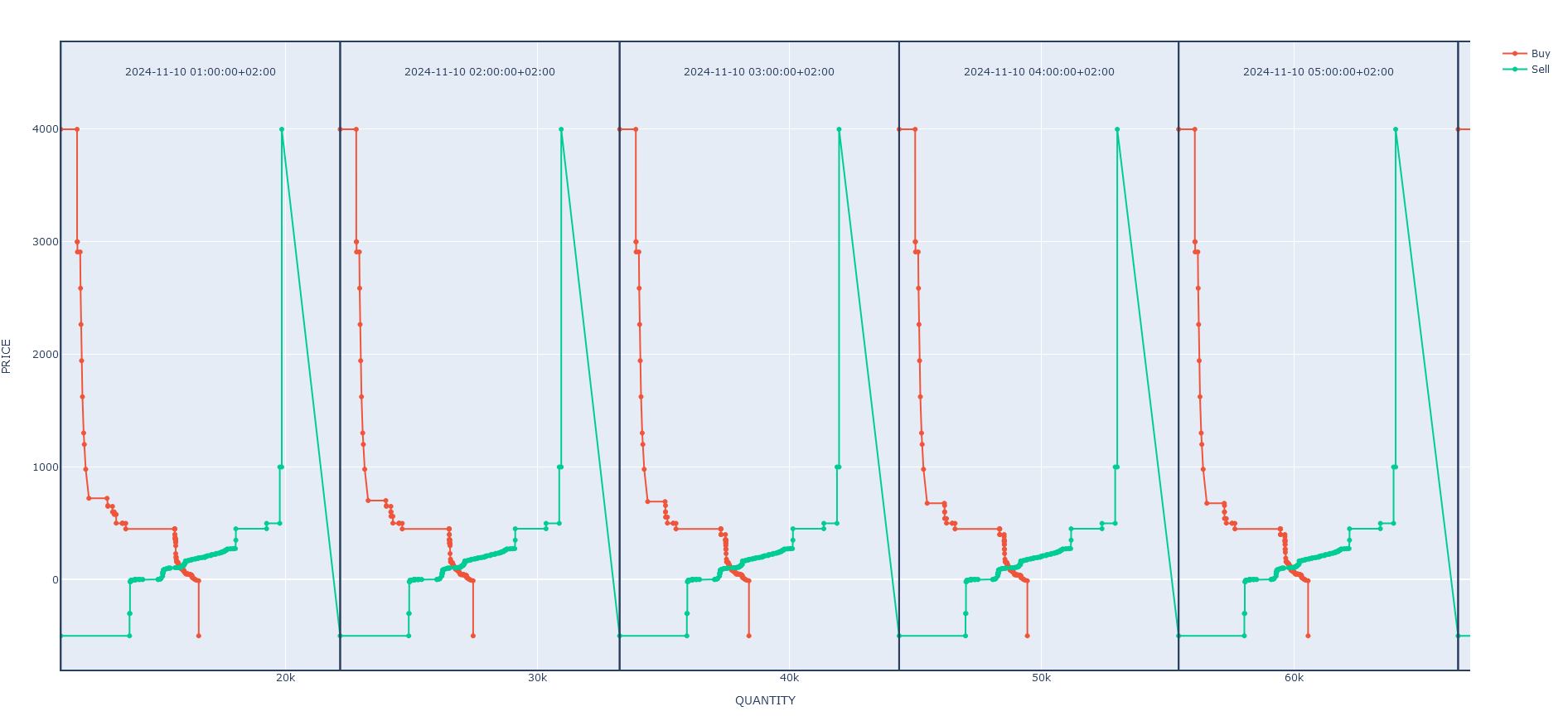
Support for plotting demand-supply market bids: